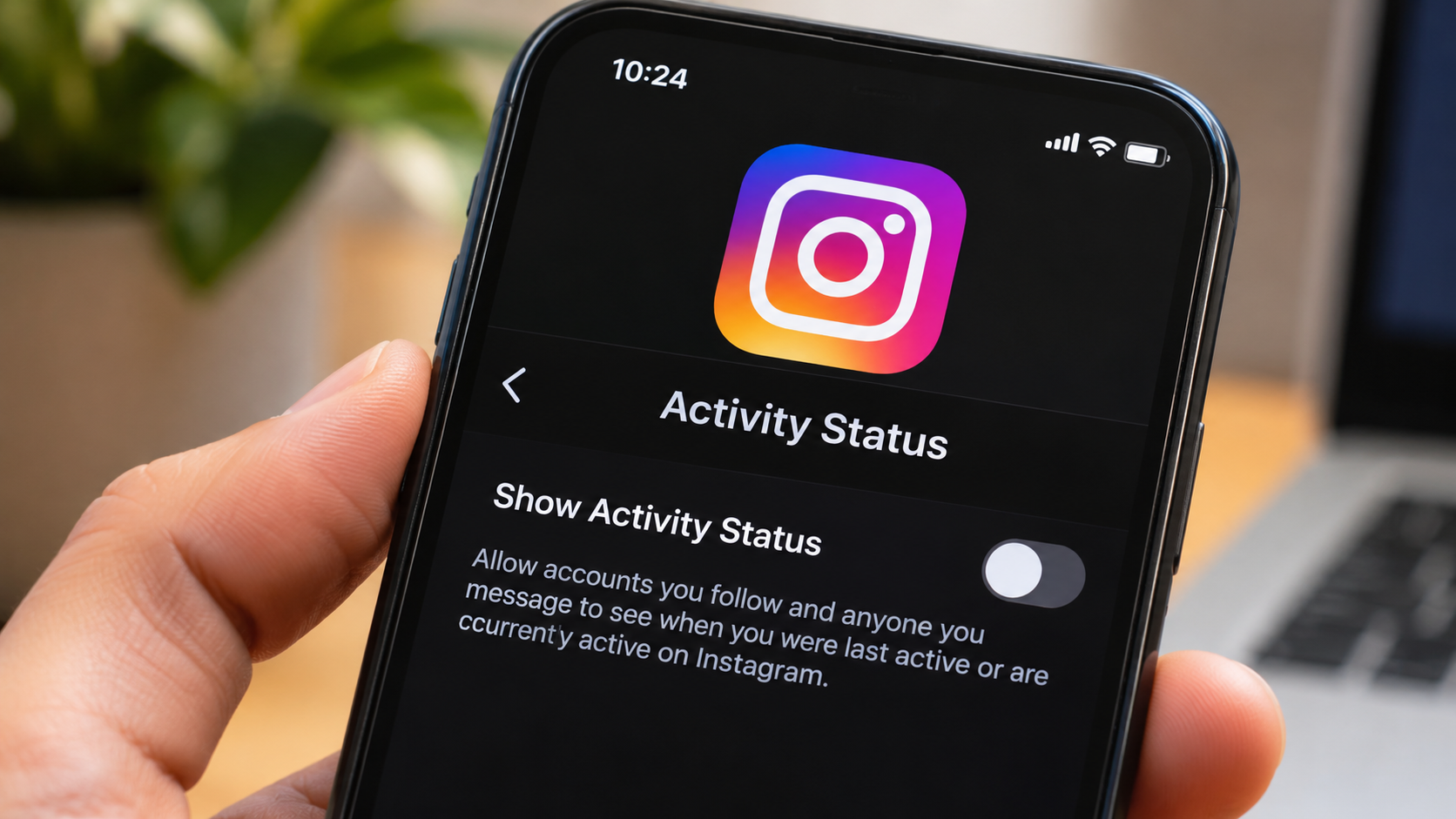



Instagram can show people when you are online or when you were last active. You may notice a green dot beside someone’s profile picture in Direct Messages or a short activity label below their name. If you would rather browse without sharing that information, you can switch off a setting called Activity Status.
The control is available in the Instagram app for Android and iPhone, as well as on the web. The trade-off is important: when you hide your own Activity Status, Instagram also stops showing you other people’s activity status. You can still use Instagram, send messages and view posts as usual.
What Instagram Activity Status shows
Activity Status tells eligible Instagram contacts whether you are currently active or when you were last active. Instagram says this information can be visible to people you follow and people you have direct conversations with. It appears in messaging, rather than as a public label on your profile.
The indicator may appear as a green dot beside your profile picture or as a recent-activity label in the Direct inbox. It is a convenience feature, not a read receipt. It does not prove that someone has opened a particular message or is looking at your screen at that exact moment.
How to turn off Activity Status on Android and iPhone
The steps are almost the same on Android and iOS. Make sure you are signed in to the Instagram account whose status you want to hide, especially if you manage more than one account.
- Open the Instagram app.
- Tap your profile picture in the bottom-right corner.
- Tap the three-line menu in the top-right corner.
- Open Settings and activity.
- Under How others can interact with you, tap Messages and story replies.
- Tap Show activity status.
- Switch off the toggle beside Show activity status.
Once the switch is off, people who could previously see your Activity Status should no longer see your current or recent activity indicator. You do not need to make your account private or stop using Direct Messages to change this setting.
Instagram sometimes changes menu wording or moves settings as it updates the app. If your screen looks different, look for Messages and story replies or use the search option in Settings, if it is available, to find Activity Status. Installing the latest Instagram update can also help if the option is missing.
How to hide your Instagram online status on a computer
You can change the same setting from Instagram.com in a desktop browser. This is useful if you usually manage your account from a laptop or do not have your phone nearby.
- Open Instagram.com and sign in.
- Click More in the bottom-left corner.
- Select Settings.
- Under How others can interact with you, open Messages and story replies.
- Choose Show Activity Status.
- Turn off the Activity Status switch.
If the desktop layout does not show the option, use the Instagram mobile app and follow the steps above. The web interface can look different from the app, and Instagram may roll out menu changes at different times.
What changes when you turn Activity Status off?
The setting works both ways. Other people lose the Activity Status information that Instagram previously showed for your account, but you also lose the ability to see theirs. Instagram explains that you will not see when accounts that follow you or accounts you have direct conversations with are active, were recently active or are currently active in the same chat.
- Your green activity indicator: Eligible contacts will no longer see when you are currently active.
- Your last-active information: Instagram will stop showing the recent-activity label associated with your account.
- Other people’s status: You will not be able to see anyone else’s Activity Status while yours is off.
- Messages and posts: You can continue sending and receiving messages, viewing posts and using the app normally.
The switch is an account-level Activity Status control, not a list where you can choose individual people. If you need to manage contact with a particular account, review Instagram’s separate block and restrict controls before changing them, because those tools affect more than online visibility.
What turning off Activity Status does not hide
Activity Status is only one part of Instagram privacy. Turning it off does not make your account private, hide your posts from people who can already see them, remove your name from a Story’s viewer list or automatically hide the Seen indicator when you read a Direct Message. Those are separate parts of the service.
It also does not change the privacy settings of other Meta apps. If you use Facebook, Messenger or Threads, review the online-status controls inside those apps rather than assuming the Instagram switch covers them.
Activity Status is only one part of your account’s privacy setup. You can also review other Instagram privacy and security settings to understand the separate controls for your profile, tags and account access.
If people can still see that you are active
If you turned off the switch but someone says your status is still visible, check these points before changing other account settings:
- Confirm the right account: If you switch between Instagram accounts, check that you changed Activity Status on the account you are using.
- Check the toggle again: Return to Messages and story replies and make sure Show activity status is still off.
- Update Instagram: Install the latest version from the official app store if the menu is missing or behaving unexpectedly.
- Close and reopen the app: Restart Instagram and check the setting again. Avoid relying on an old screenshot or a conversation that has not refreshed.
- Check the other person’s setting: Activity Status is mutual. You will not see another account’s status when your own is off, and you cannot use their status indicator to confirm what they can see.
Do not install third-party apps that promise to hide your Instagram status or show who is online secretly. The built-in setting is enough for this purpose, and giving another app your Instagram login can put your account at risk.
How to turn Activity Status back on
If you want to see other people’s activity indicators again, return to Profile → Menu → Settings and activity → Messages and story replies → Show activity status and switch the control back on. You can change the setting whenever you want.
For the exact wording and platform-specific instructions, see Instagram’s Help Center guide to turning Activity Status on or off.
If this article helped you, please consider supporting our work. Every small contribution keeps Abijita.com independent and running.