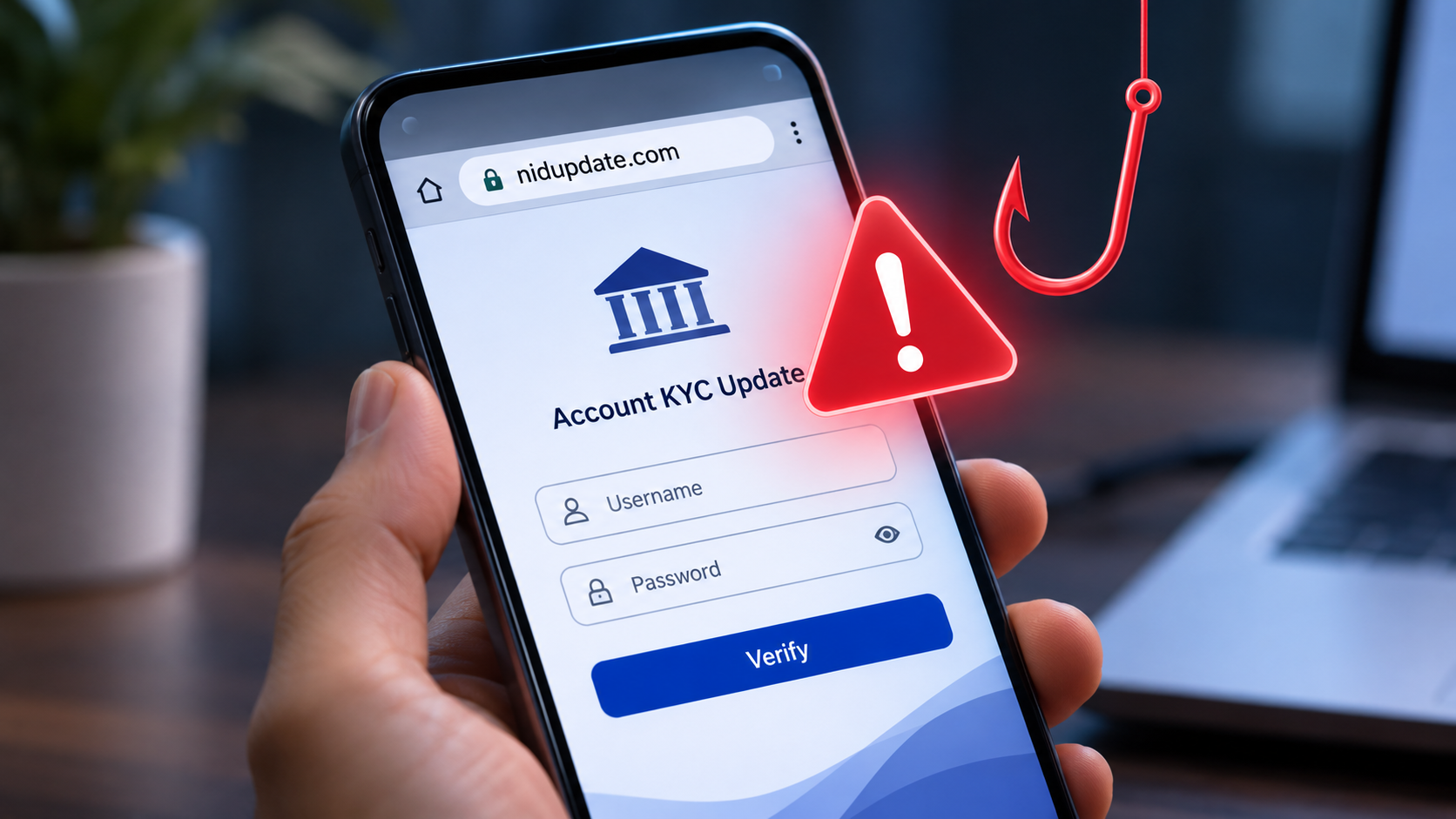
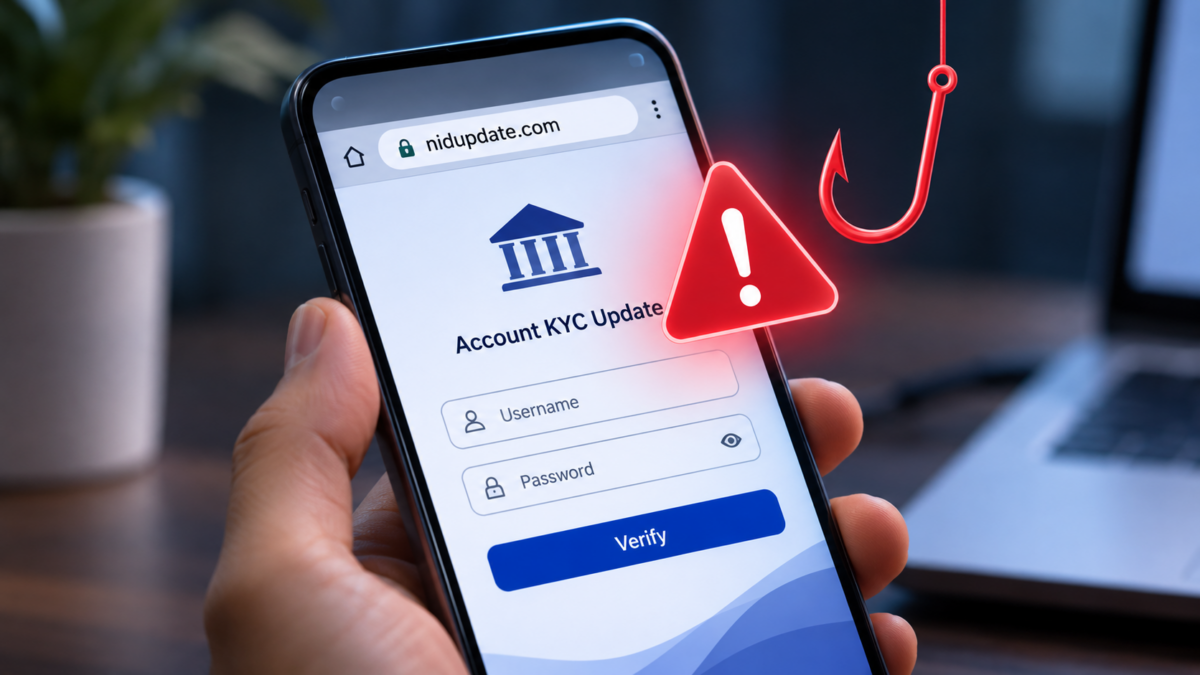

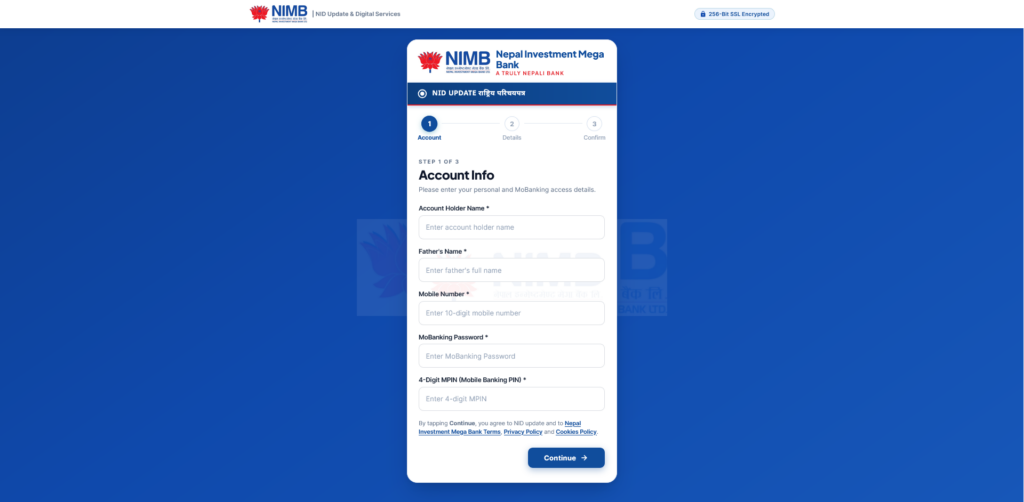
A phone call claiming that your bank’s Know Your Customer (KYC) details need an urgent update may sound routine, but it could be the start of a phishing attack. A recent incident shared with Abijita involved a caller asking for a KYC update and directing the recipient to a website that displayed what appeared to be a fake Nepal Investment Mega Bank account login page. The page appeared to be designed to trick users into entering their banking password.
The suspicious website reported in this incident is nidupdate.com. Its name may sound related to Nepal’s National Identity Card system, but the domain is not the bank’s published internet banking address. Nepal Investment Mega Bank lists ibank.nimb.com.np as its internet banking login address and warns customers never to share passwords or OTPs, including with people claiming to work for the bank.
How the fake KYC call works
The caller uses the familiar language of banking verification, telling the recipient that their KYC or identity details need to be updated. The caller then points them to a link and encourages them to complete the process online. When the page opens, it presents a bank-themed login screen that may look convincing enough to fool someone who is in a hurry.
The likely objective is credential theft. If a customer enters an online banking username, password, PIN or one-time password (OTP) into a fraudulent page, the information could be collected by the people operating it. Criminals may then try to access the victim’s genuine banking account or authorise fraudulent transactions. A fake login page does not need to look perfect; it only needs to persuade someone to submit sensitive information.
Abijita has not independently verified who operates the reported domain or whether it is currently active. The warning here is based on the call and website shared with us, alongside the mismatch between that domain and the official internet banking address published by NIMB. Customers should treat the link as suspicious and avoid entering any information.
Why the website should raise concern
The official Nepal Investment Mega Bank internet banking portal is hosted at ibank.nimb.com.np. The reported nidupdate.com address is a separate domain and does not use the bank’s published internet banking domain. A website displaying a bank logo, account form or familiar colours does not prove that it belongs to the bank.
NIMB’s own security awareness guidance warns that attackers may impersonate bank representatives and ask customers for online banking passwords, mobile banking credentials, OTPs, ATM PINs or card security details. The bank says such information must not be shared, even when the request appears to come from a bank employee.
Nepal Rastra Bank’s Financial Intelligence Unit has also warned about phishing websites that imitate banks or digital wallets and use threats involving KYC updates or account blocking to steal passwords, OTPs and personal information. Its October 2026 advisory specifically identifies fake KYC-update websites as a form of online financial fraud.
What to do if you receive a KYC update call
- Do not open a link sent by an unknown caller or follow instructions to log in through a website they provide.
- Do not share your online banking password, mobile banking PIN, card PIN, CVV or OTP over a phone call, SMS, WhatsApp or any other channel.
- End the call and contact your bank using the phone number printed on your bank card, official website or account documents.
- If you genuinely need to update KYC, use the bank’s official app, verified website or a branch after confirming the correct process directly with the bank.
- Check the full website address in the browser before entering any information. HTTPS or a padlock icon alone does not prove that a website is genuine.
- Do not install an app, remote-access tool or configuration file at the caller’s request.
What if you already entered your banking details?
Act immediately if you entered a password, PIN or OTP on the suspicious website. Contact Nepal Investment Mega Bank through its verified customer support channel and ask the bank to secure or temporarily block the affected digital banking access. Change your online banking password using the bank’s genuine app or website from a trusted device, and follow the bank’s instructions to reset any exposed PINs or credentials.
Check recent account activity and report any transaction you do not recognise to the bank immediately. If you shared an OTP or approved a transaction, tell the bank exactly what happened and when. Do not wait for money to disappear before reporting a possible compromise.
People who encounter or lose money through an online scam can also contact Nepal Rastra Bank’s Integrated Anti-Cyber Scam Centre through the 24-hour hotline 1247, announced by the central bank on November 20, 2026. Victims should also notify their bank or payment service provider without delay.
Report suspicious links instead of forwarding them
If you receive a suspicious KYC call or website link, preserve the phone number, call time, message and URL as evidence, but do not revisit the site or share the link as a clickable message with others. Report the incident to the bank through its official channels and to the relevant cybercrime authorities. If you warn friends or family, share the domain as plain text and make it clear that they should not open it.
Bank customers should remember one simple rule: a caller cannot prove their identity just by knowing your name, account details or the name of your bank. Verify every KYC request independently, and never enter banking credentials on a page reached through an unsolicited call or message.
If this article helped you, please consider supporting our work. Every small contribution keeps Abijita.com independent and running.

Official references: NIMB Security Awareness · NIMB Internet Banking · FIU-Nepal Online Scam Advisory · Nepal Rastra Bank